Motivation
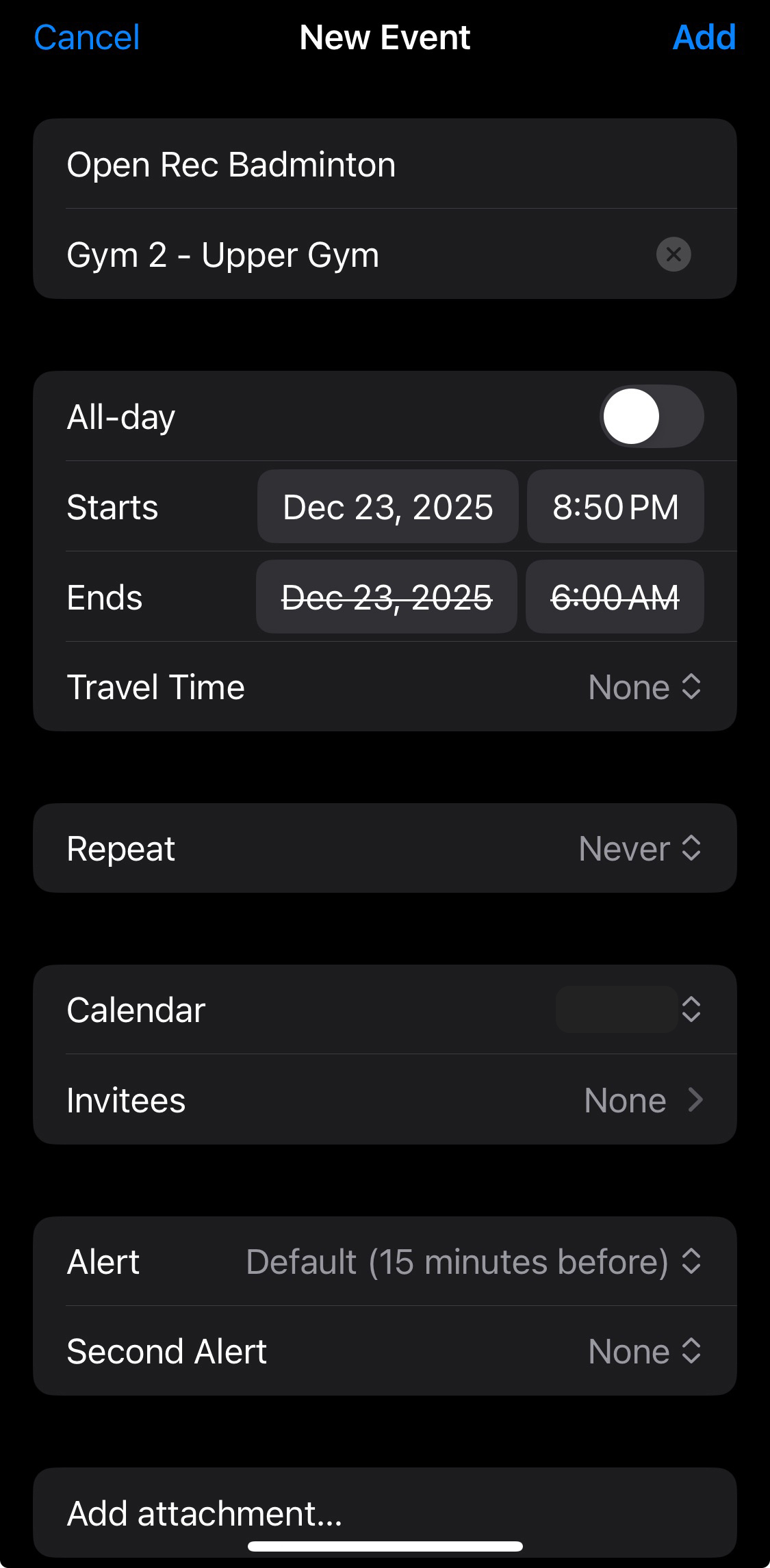
I have been using the official Queen’s ARC app for a while to check the schedule of badmintons, and I found it quite inconvenient. The user interface is not very intuitive. More importantly, it has a critcial bug when I try to add the event to my calendar, which makes it unusable for me. By default, the event from official app is somehow swaped the start and end time, which makes the event last for negative duration. This is a deal breaker for me, as I need to reinput the event details manually every time I want to add an event to my calendar. Therefore, I decided to create a Progressive Web App (PWA) that can provide a better user experience and fix the calendar bug.
Features
The PWA I created has the following features:
-
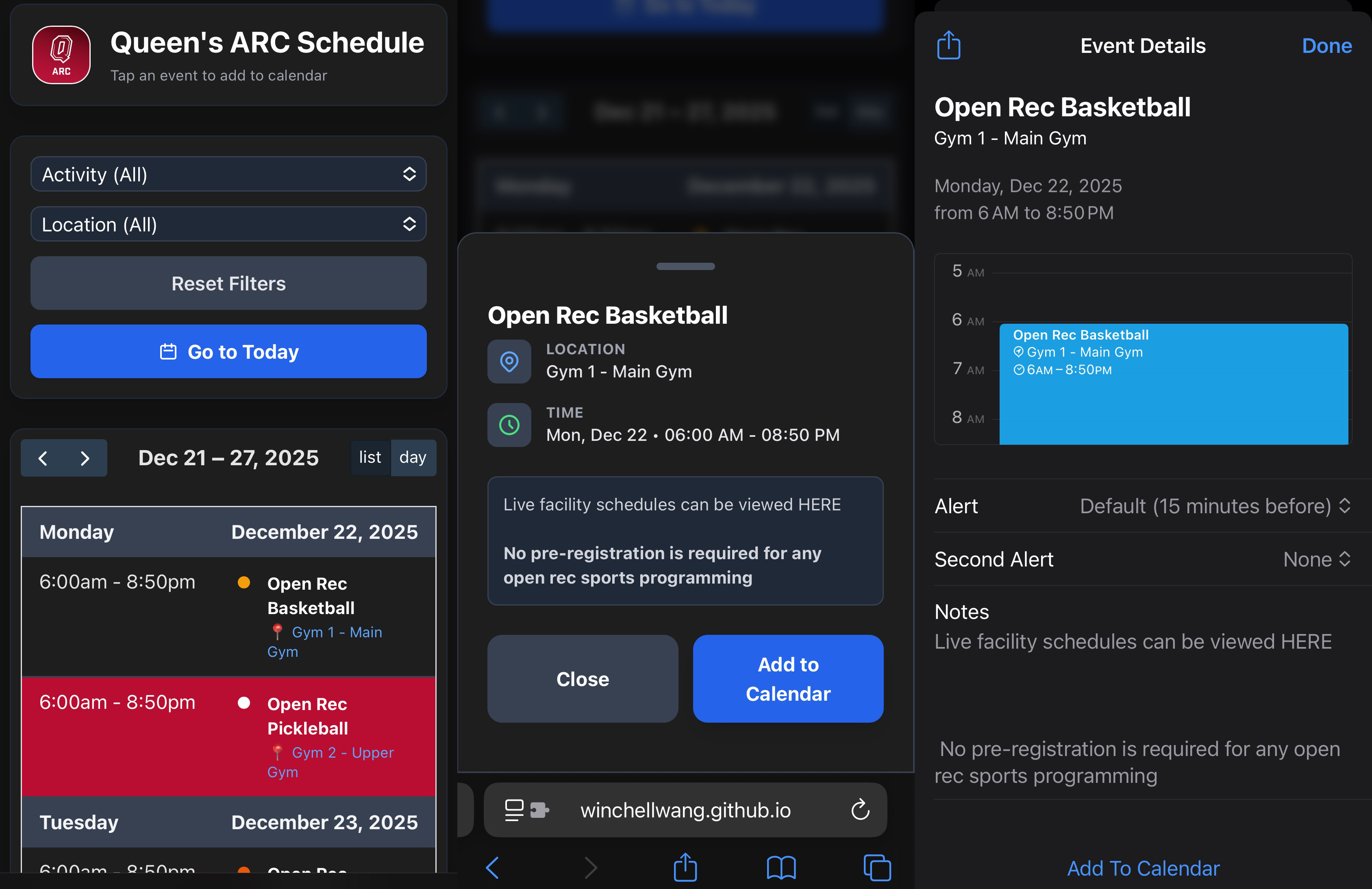
It shows all the schedule when you open the app, no need to navigate through multiple pages.
-
It shows the neccessary information only, such as date, time, location, and explanation when you click on an event.
-
It allows you to add the event to your calendar with correct start and end time.
-
It supports double filtering by date and location, so you can easily find the events you are interested in. The settings can be perserved so you don’t need to set them every time you open the app.
-
The date will be back to today automatically when you open the app.
-
The website has a responsive design, so it works well on both desktop and mobile devices.
-
It has dark mode support which is activated automatically based on your system settings.
-
It is a PWA, so you can install it on your device like a native app.
Way to add as PWA
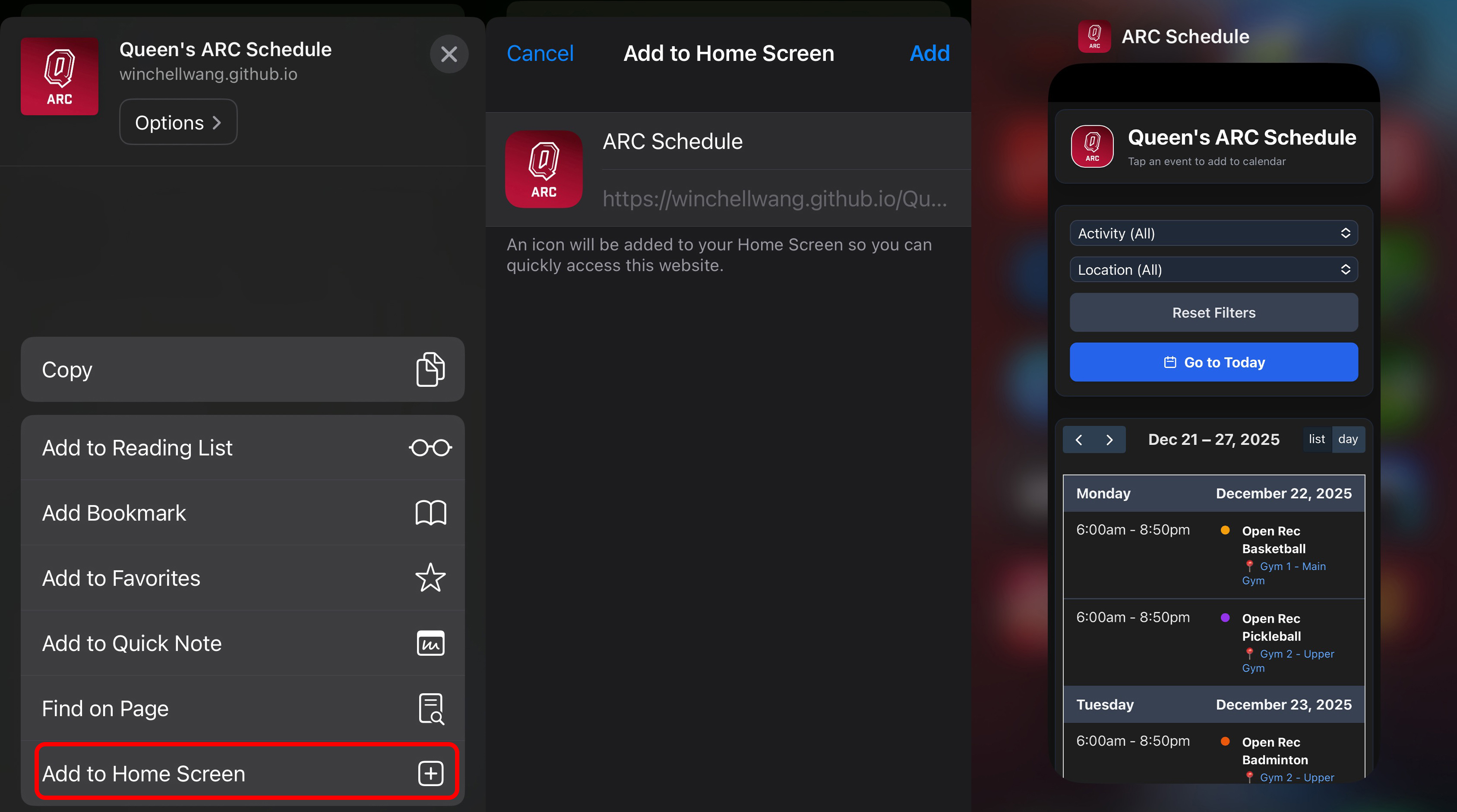
To add the PWA to your device, you can follow these steps:
-
Open the PWA link in your browser: Queen’s ARC Schedule
-
For iOS devices, tap the “Share” button in Safari and select “Add to Home Screen”. For Android devices, tap the menu button in Chrome and select “Add to Home Screen”.
Then you will have an APP icon on your home screen that you can open as a native app.